Group voice calls for up to 120 people
Start a voice call with your whole group in one tap. Up to 50 people can join — or 120 when a Premium member starts the call — and everyone hears everyone, clearly, with no video.
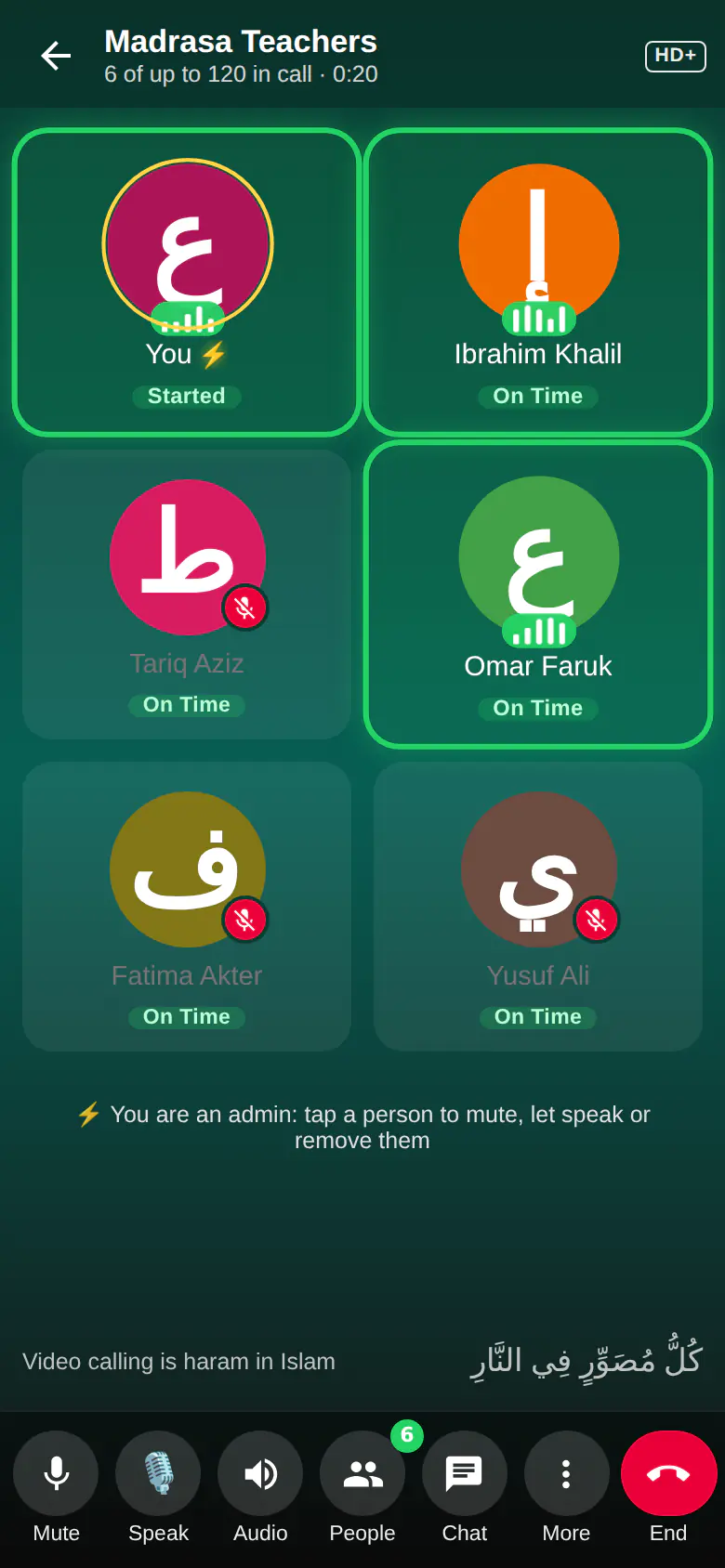
Group calls at a glance
- Up to 50 people, or 120 when a Premium member starts the call
- Voice only — no video calling
- Join from the group, from the ringing screen, or with a call link: muslimchat.online/c/…
- Admins can text the members who haven't joined yet, with the link
- Group admins ⚡ can mute, mute all, ask all to unmute, remove people, lock and end the call
- Ask to speak with 🎙️, chat and react during the call
- HD+ Voice; call recording for Premium members
Start and join
Open any group and tap the call button. Members' phones ring, and anyone who misses the ring sees a Join bar at the top of the group. Each call also has a short link — muslimchat.online/c/… — that you can share; it opens the call in Muslim Chat while the call is on.
Admins can tap More → Text the people who have not joined. From the Android app Muslim Chat sends each of them an SMS — "Rafiq, you didn't join the Madrasa Teachers group call yet. Join now:" followed by the link — and elsewhere it sends them a Muslim Chat message. Ring everyone who has not joined rings their phones again.
Order in big calls
The group's admins — ⚡ in the call — can mute someone, Mute all, Ask all to unmute, decide whether people may unmute themselves, remove someone from the call, lock the call so no one new can join, or end it for everyone. Participants can tap 🎙️ Speak to ask to talk, chat in the call, and react.
Each tile shows who is talking with a moving wave. Switch between the grid and the speaker view, and minimise the call to keep using your chats.
Everyone hears everyone
In a group call every phone sends its voice once to the Muslim Chat server, which passes it on to everyone else. That is the same for 3 people or 100, so nobody becomes inaudible to some people because of their network. Silence is never sent, so only the people talking use upload data. Calls use Muslim Chat's HD+ Voice.
How to use Group calls
Open a group
Choose the group you want to call.
Tap the call button
Members' phones ring. Share the call link for anyone else in the group.
Manage the call
Admins use People to mute, remove or lock; everyone can use Chat to write during the call.
Group calls in Muslim Chat
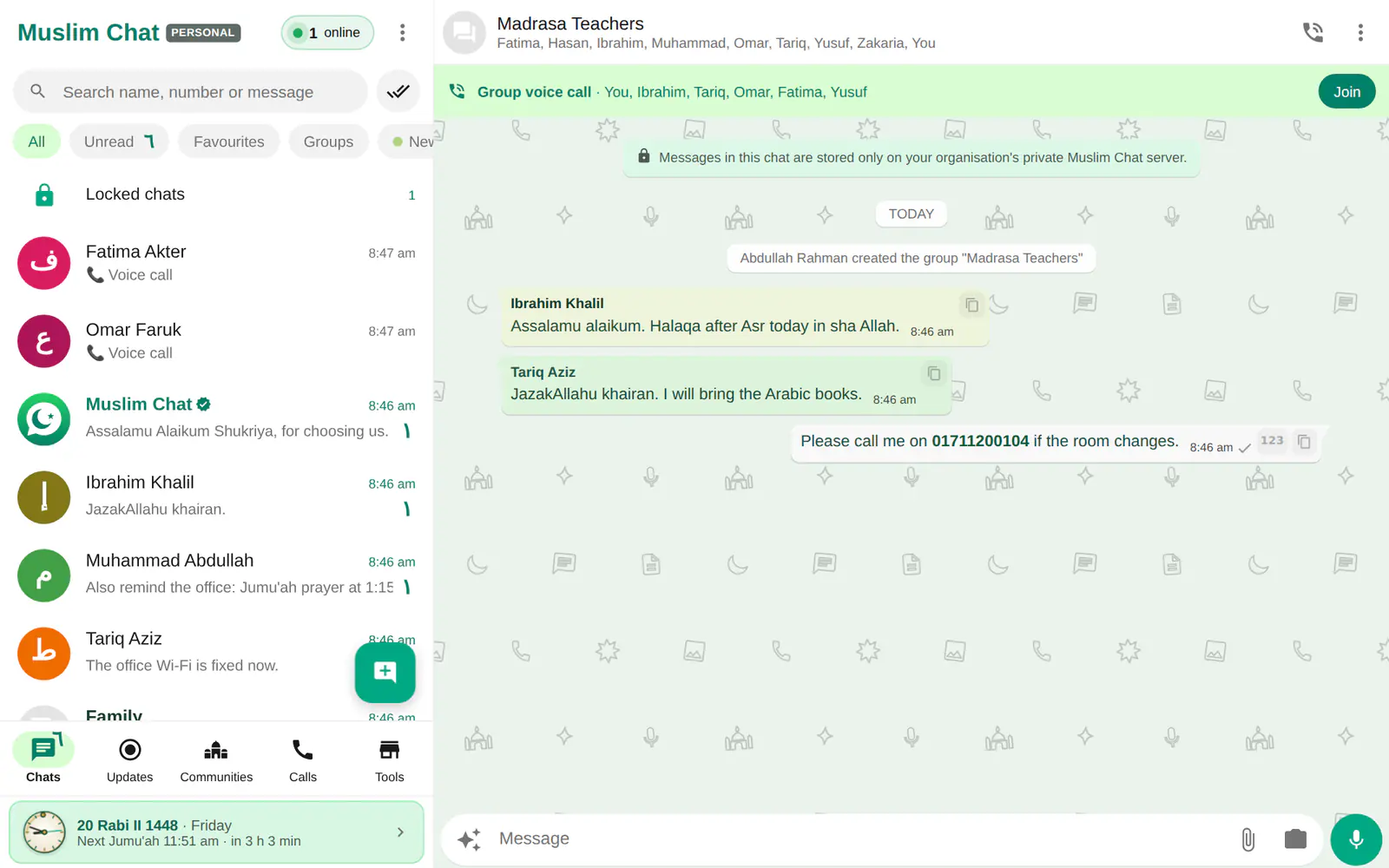
গ্রুপ কল — বাংলায় সংক্ষেপে
একসাথে ৫০ জন — প্রিমিয়াম সদস্য কল শুরু করলে ১২০ জন — পর্যন্ত ভয়েস কল, ভিডিও ছাড়া। লিংক দিয়ে যোগ দেওয়া, যারা যোগ দেননি তাদের এসএমএস পাঠানো, সবাইকে মিউট করা, কল লক করা ও কলের মধ্যে চ্যাট — সবই আছে।
Group calls: frequently asked questions
How many people can join a group call?
Up to 50 people. When a Premium member starts the call, up to 120 can join.
Is there video in group calls?
No. Muslim Chat has voice calls only — video calling is haram in Islam because it depicts images.
Can people join with a link?
Yes. Every group call has a short link, muslimchat.online/c/…, which works while the call is on.
Who can mute others?
The group's admins, shown with ⚡ in the call. They can also mute everyone, lock the call or end it for all.
Can I record a group call?
Premium members can record calls; everyone in the call is told.
More in Muslim Chat
Get Muslim Chat
A hadiya for all Muslim Ummah — on Android, iPhone, Windows, Mac, Linux and the web, with Premium features for those who want more.