Hidden chats: lock any chat with a secret code
Lock a chat and it disappears from your chat list. Its notifications stop showing the messages, and it opens only from Locked chats — with your secret code.
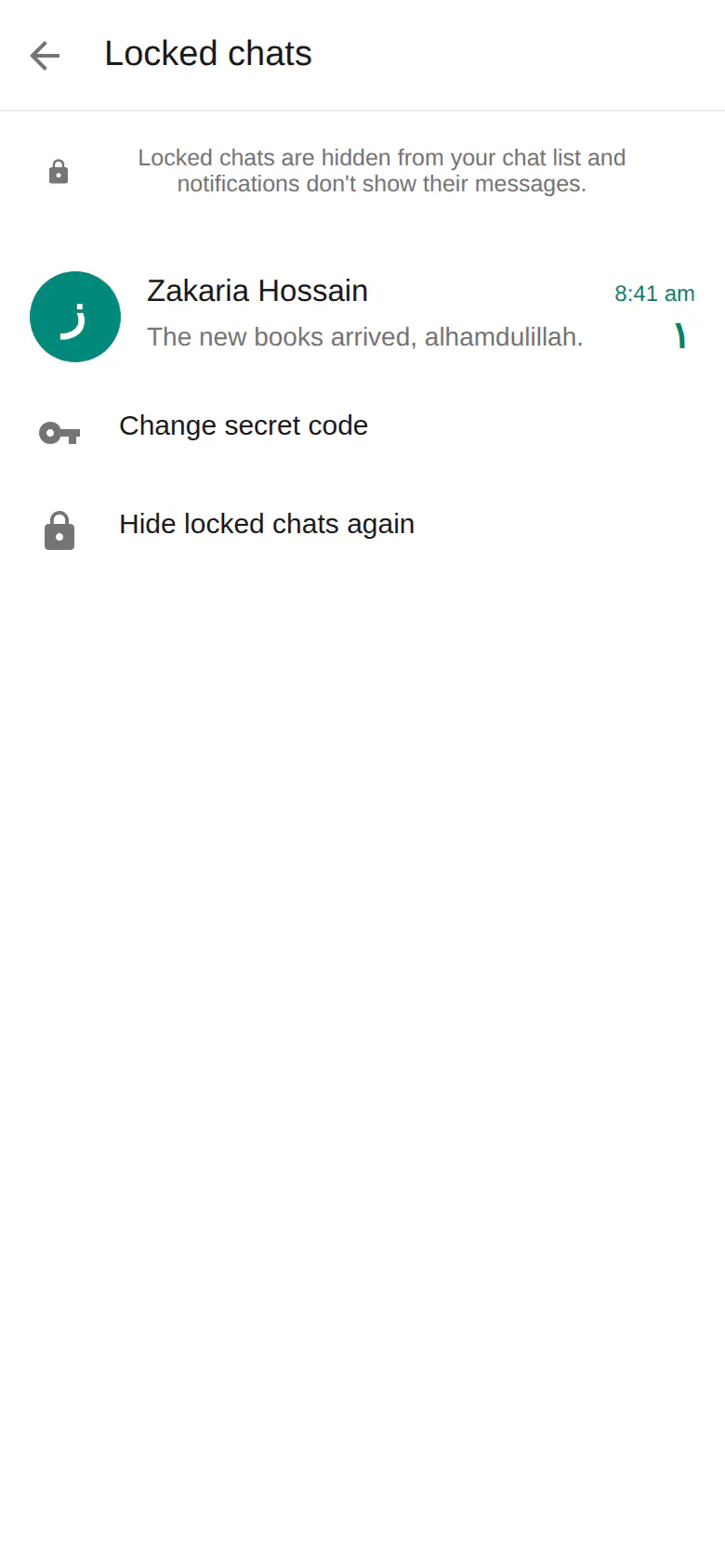
Hidden chats at a glance
- Lock any chat — one-to-one or group
- Locked chats are hidden from your chat list
- Notifications don't show their messages
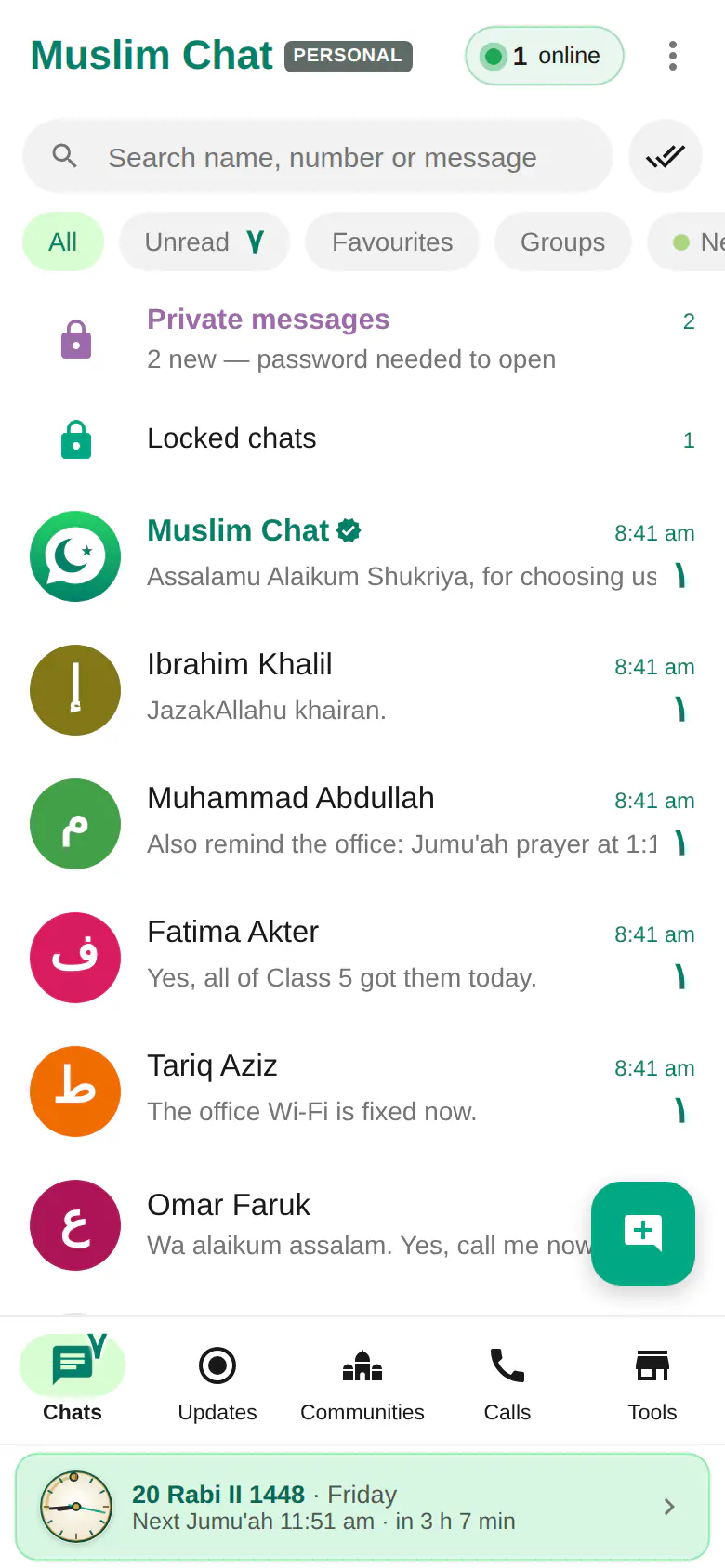
- Open them from "Locked chats" at the top of your chat list, with your secret code
- One secret code of 4 to 8 digits, the same on all your devices
- Hide them again with one tap; change the code any time
How to hide a chat
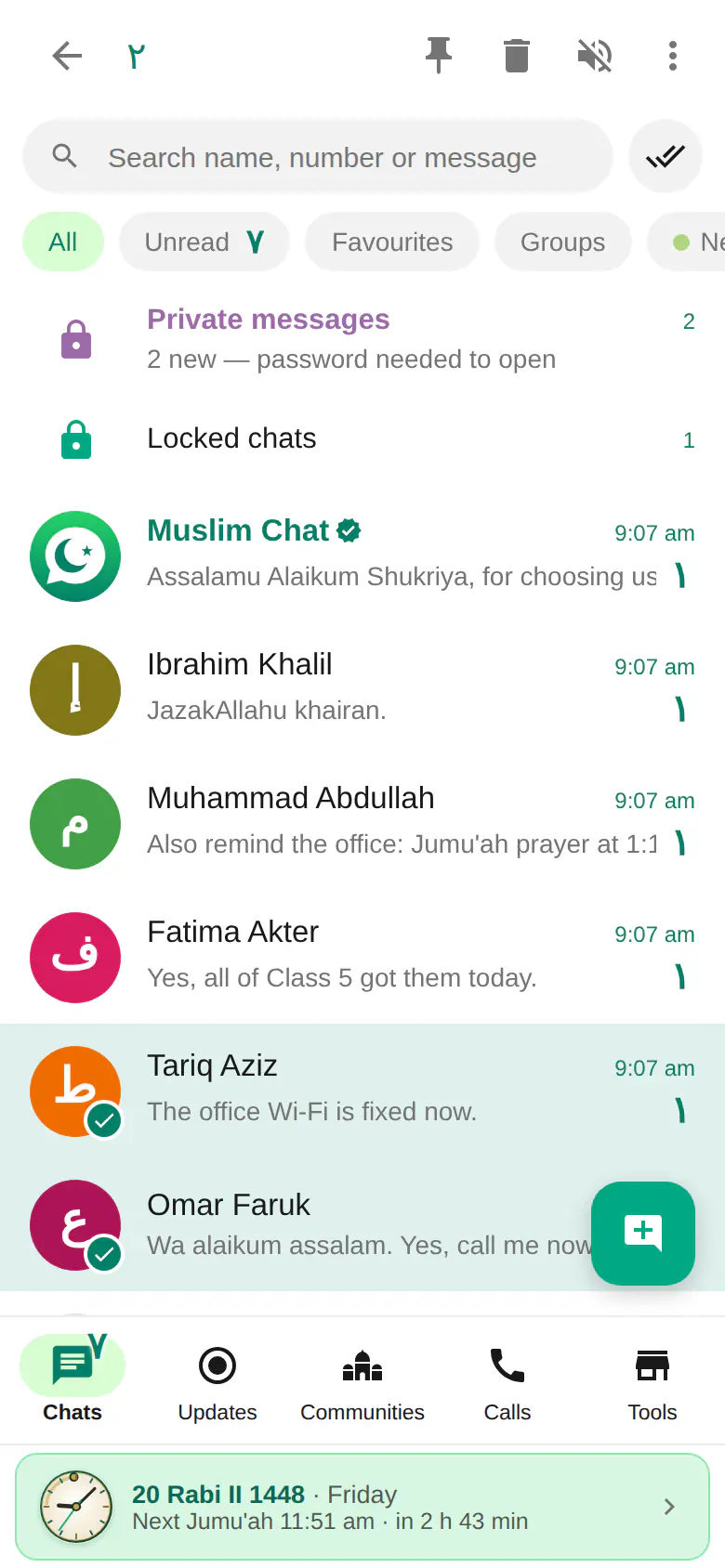
Long-press a chat (or open it and use the menu) and choose Lock chat. The first time, Muslim Chat asks you to create a secret code of 4 to 8 digits. The chat then disappears from your list and its notifications no longer show what was written.
To read it, tap Locked chats at the top of your chat list and enter your code. When you are done, tap Hide locked chats again.
The same on every device
Your secret code belongs to your account, so it works on your phone, your computer and the web. Change it any time under Locked chats → Change secret code.
Hidden chats or private messages?
| Hidden (locked) chats | Private messages | |
|---|---|---|
| What it is | Any normal chat, hidden behind a secret code | A separate private space for new conversations |
| Opens on | Phone, computer and web | Your phone only |
| Code | Secret code, 4–8 digits | Private password, 4–8 digits |
| Locks again | When you tap Hide locked chats again | By itself after 30 minutes, or Lock now |
| Notifications | Message text hidden | "New private message" only, or off |
How to use Hidden chats
Choose a chat
Long-press it in your chat list.
Lock chat
Tap More → Lock chat, and create your secret code the first time.
Open it later
Tap Locked chats at the top of the list and enter the code.
Hidden chats in Muslim Chat
লুকানো চ্যাট — বাংলায় সংক্ষেপে
গোপন কোড দিয়ে যেকোনো চ্যাট লক করুন। চ্যাটটি তালিকা থেকে লুকিয়ে যাবে, নোটিফিকেশনে বার্তা দেখাবে না, আর চ্যাট তালিকার উপরে "Locked chats"-এ কোড দিলেই শুধু খুলবে। একই কোড ফোন, কম্পিউটার ও ওয়েবে কাজ করে।
Hidden chats: frequently asked questions
How do I hide a chat in Muslim Chat?
Long-press the chat, tap More → Lock chat, and create a secret code. The chat disappears from your list.
Where do hidden chats go?
To Locked chats, at the top of your chat list. They open with your secret code.
Do locked chats show in notifications?
Notifications don't show their messages.
Is the code the same on my computer?
Yes. The secret code belongs to your account and works on all your devices.
More in Muslim Chat
Get Muslim Chat
A hadiya for all Muslim Ummah — on Android, iPhone, Windows, Mac, Linux and the web, with Premium features for those who want more.