Halal messaging: chats, groups and voice notes
Everything you expect from a modern messenger — one-to-one chats, groups, voice notes, files, polls and Status — in a familiar design, on Muslim Chat's own server, with no adverts and no video calling.
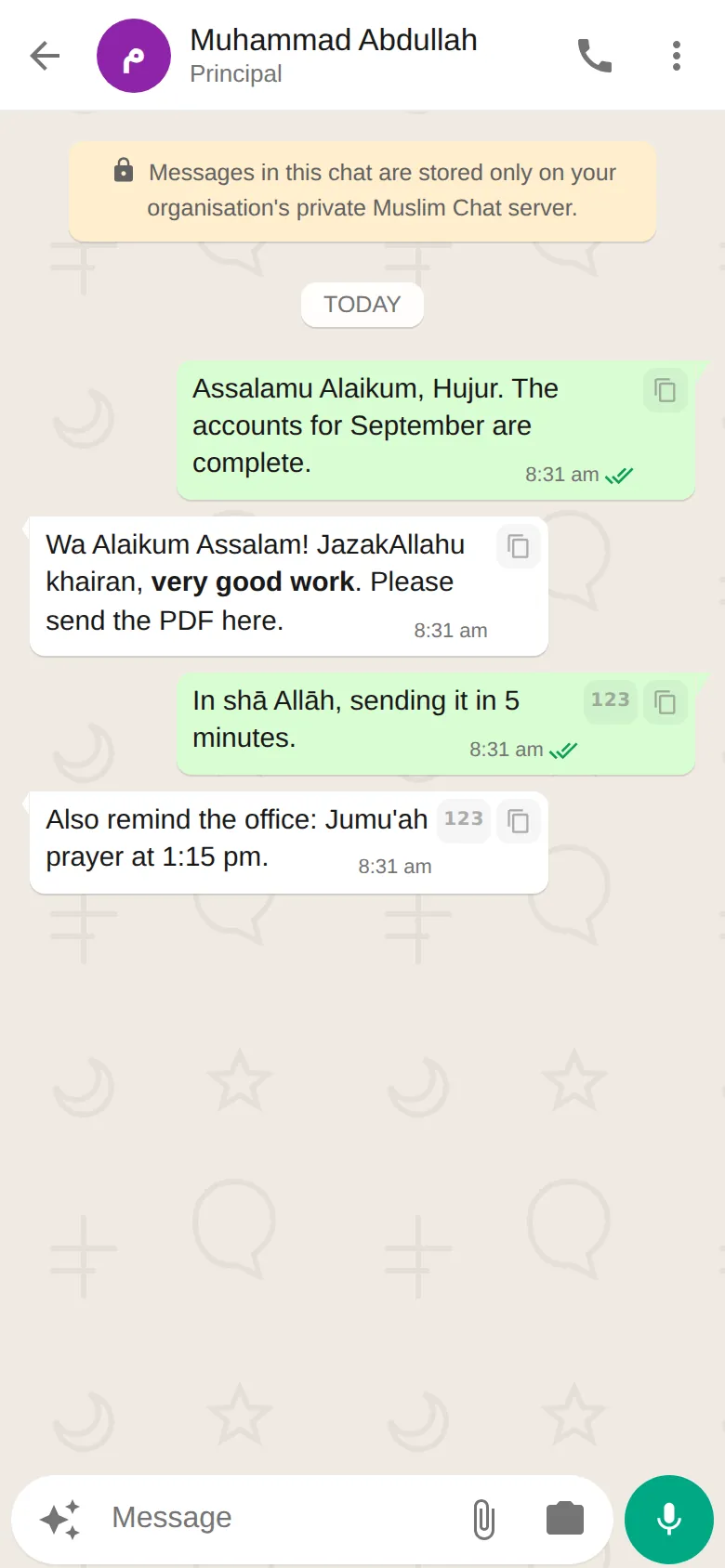
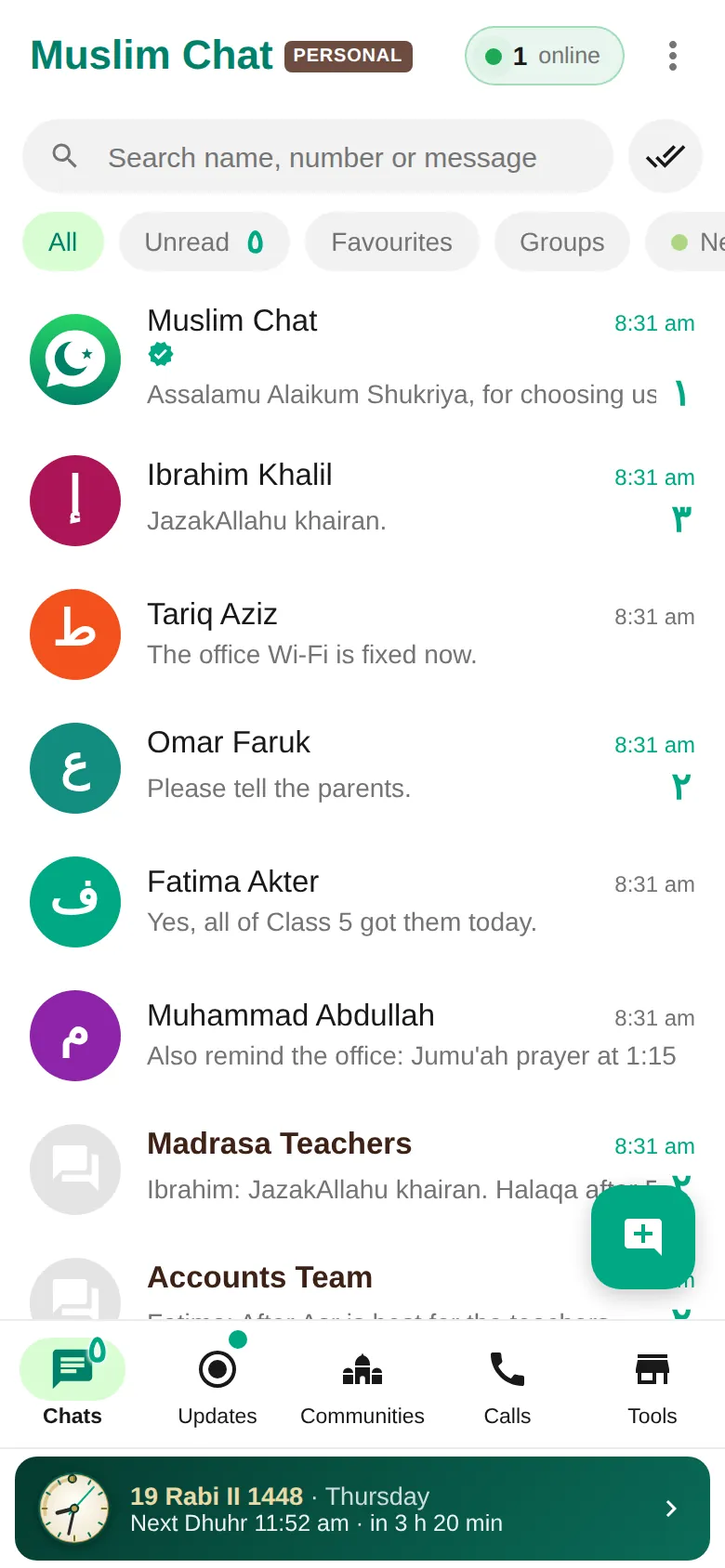
Chats & groups at a glance
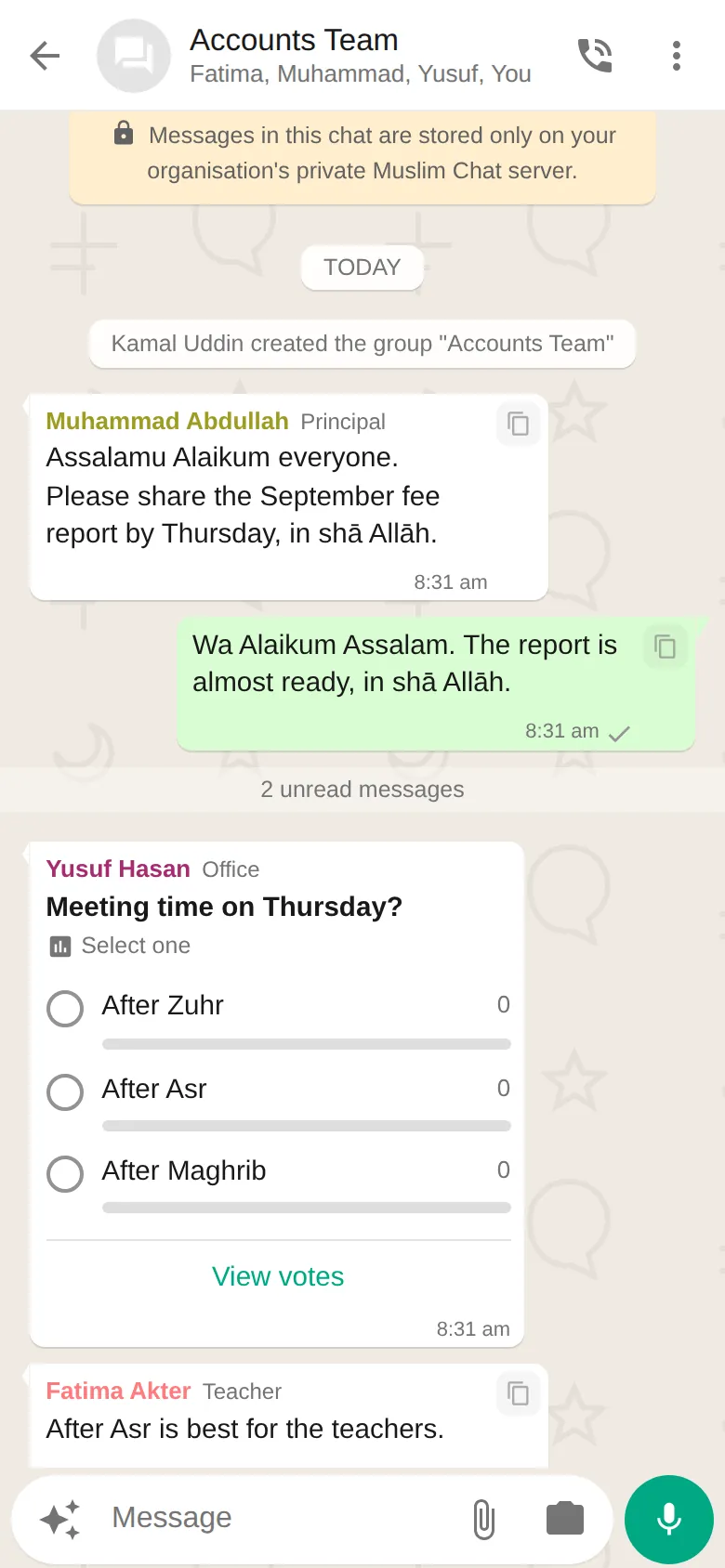
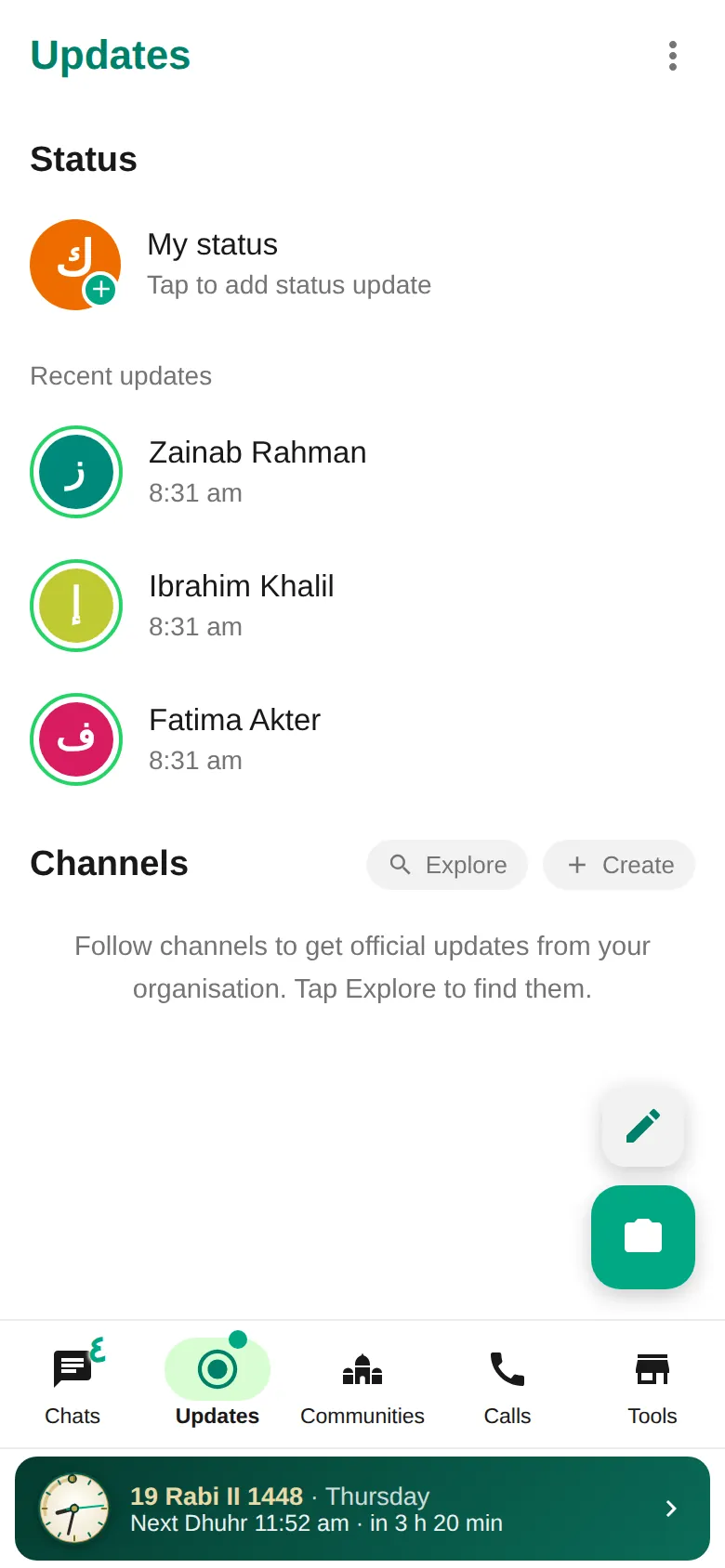
- One-to-one chats, groups with admins, announcement-only groups, communities and channels
- Voice notes with a waveform, plus photos, PDFs and documents of up to 100 MB
- Read ticks, typing, replies, reactions, forwarding, editing and delete for everyone
- Polls, 24-hour Status (48 hours with Premium), location and disappearing messages
- YouTube videos play inside the chat, and any website link shows a preview
- Numbers of Muslim Chat members are highlighted — checked on the server, not in your contacts
- Arabic picture letters (ك for Kamal) and Arabic unread numbers
Everything a family, a team or a madrasa needs
Muslim Chat looks and works like the messaging apps people already know, so anyone can use it from day one. Make a group for your class, office or family, give it admins, or turn it into an announcement-only group where only admins post. Communities bring several groups together, and channels let you broadcast to followers.
Find people by their mobile number or their @username. When someone has been offline for a while, Knock by SMS in the Android app sends them a short SMS asking them to come online — a small note appears in the chat so everyone knows.
YouTube videos and link previews
Paste a YouTube link and it becomes a card with the picture, title and channel. Tap it and the video plays right inside Muslim Chat — on your phone, your computer and the web — in YouTube's privacy-enhanced player. Close it, or press Back, and it stops.
Any other website gets a preview too: the page's picture, title and site name. The address itself is hidden behind the preview, and Copy link puts it on your clipboard when you need it. (A few video owners allow their videos only on YouTube itself; for those, Open in browser is one tap away.)
Phone numbers that stand out
In group chats, phone numbers inside messages are shown in bold so nobody misses them. A number that belongs to a Muslim Chat member gets a white highlight for everyone in the chat — whether you sent it or received it — because Muslim Chat checks its own member list on the server, not the contacts saved on your phone. Tap the number to message or call.
Checking whether someone has Muslim Chat is safe, too: opening a member's number without writing anything no longer leaves an empty chat in your list.
Select chats, like WhatsApp
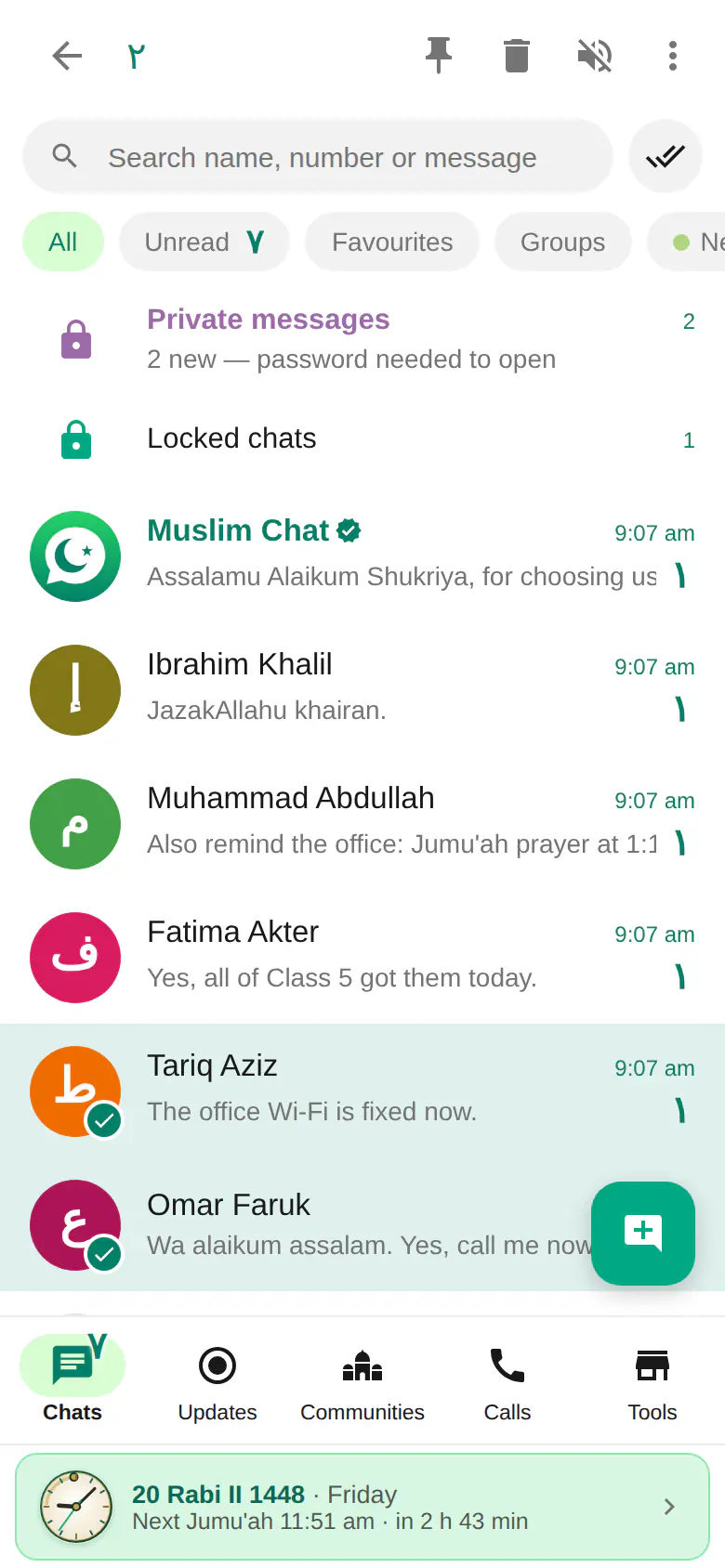
Long-press a chat to select it, then tap more chats to add them. The bar at the top lets you pin or mute them together and delete one-to-one chats; More adds archive, mark as read or unread and Favourites — and, for a single chat, a label or Lock chat. Back cancels the selection.
Your files, in a folder you can open
Files you save go to Downloads → Muslim Chat on Android and on computers. Call recordings are kept in Calls › ⋮ › Call recordings, and tapping download on one keeps a copy in Muslim Chat → Call recordings. Settings → Storage and data shows exactly where they are, with an Open folder button.
How to use Chats & groups
Install Muslim Chat
Download the Android app from muslimchat.online, add the web app to your iPhone, or install it on your computer.
Enter your mobile number
Type your number and your name. No password or code is needed.
Start a chat
Search a name or number, tap the new chat button, or make a group and add people.
Chats & groups in Muslim Chat
মেসেজিং — বাংলায় সংক্ষেপে
চ্যাট, গ্রুপ, ভয়েস নোট, ১০০ এমবি পর্যন্ত ফাইল, পোল ও স্ট্যাটাস — পরিচিত ডিজাইনে, বিজ্ঞাপন ছাড়া। ইউটিউব ভিডিও অ্যাপের ভেতরেই চলে, যেকোনো ওয়েবসাইটের লিংকের প্রিভিউ দেখায়, আর মুসলিম চ্যাট সদস্যদের নম্বর আলাদা করে চেনা যায়।
Chats & groups: frequently asked questions
Is Muslim Chat like WhatsApp?
Yes. Chats, groups, voice notes, read ticks, Status and calls work the way you expect. The differences: Muslim Chat runs on its own server, shows no adverts and has no video calling.
How big can a file be?
Up to 100 MB per file — photos, PDFs, documents and voice notes.
Do YouTube videos play inside Muslim Chat?
Yes. A YouTube link becomes a card; tap it and the video plays in Muslim Chat on Android, iPhone, computers and the web. If the owner allows the video only on YouTube, tap Open in browser.
Why is a number highlighted in white?
That number belongs to a Muslim Chat member. Muslim Chat checks its own server, so everyone in the chat sees the highlight, even if they never saved the number.
Are messages end-to-end encrypted?
No. Messages are protected by your login and by https on the way, and are stored on the Muslim Chat server, not by any advertising company. See the privacy section on the home page for details.
More in Muslim Chat
Get Muslim Chat
A hadiya for all Muslim Ummah — on Android, iPhone, Windows, Mac, Linux and the web, with Premium features for those who want more.