Prayer times, alerts and the Hijri date
Accurate salat times for your district, with the voluntary prayers too, alerts before each prayer, and a Hijri date that changes at Maghrib — the way the Islamic day begins.
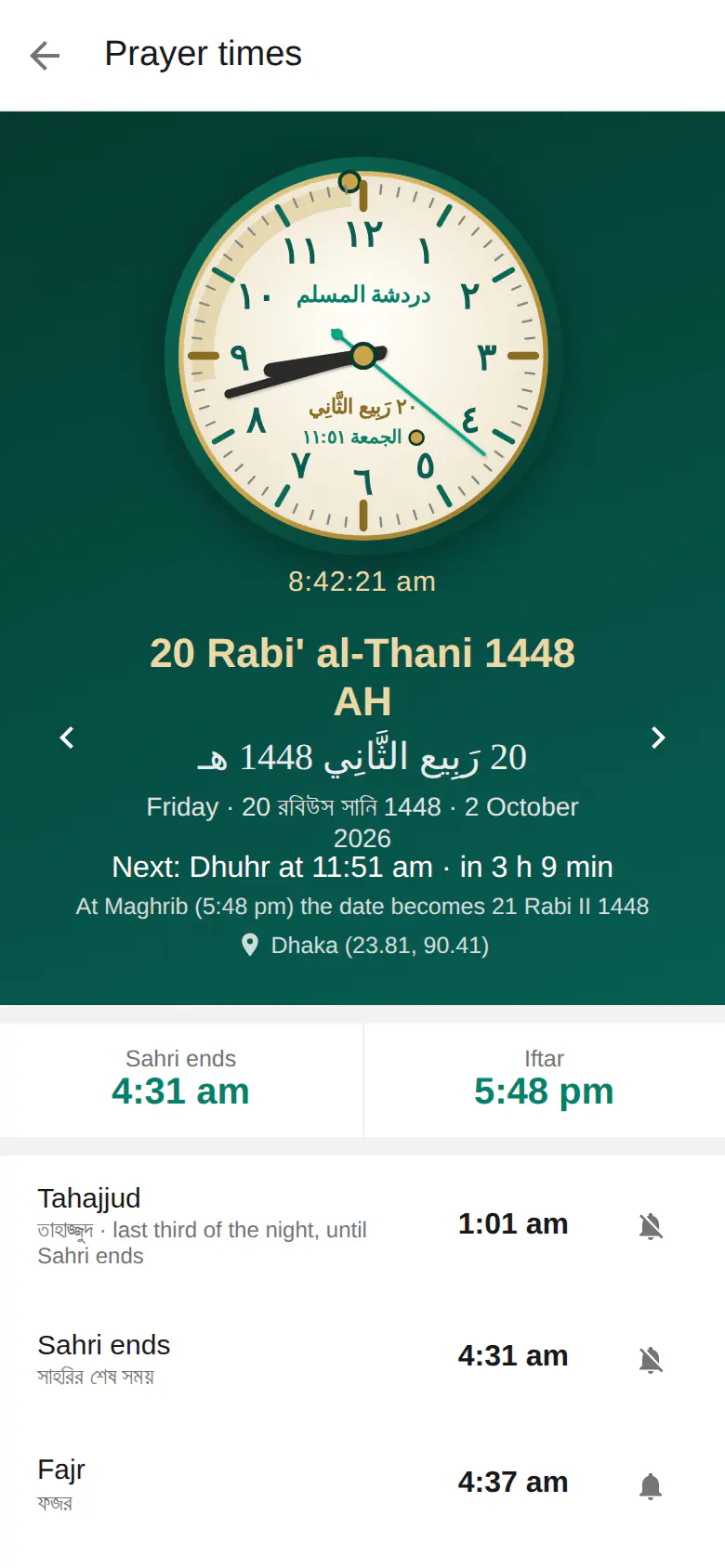
Prayer times at a glance
- All 64 districts of Bangladesh, cities abroad, or your phone's location
- Tahajjud, Sahri, Fajr, Sunrise, Ishraq, Chasht, Dhuhr, Asr, Maghrib · Iftar, Awwabin and Isha
- Islamic Foundation Bangladesh timetable: Karachi method, Fajr and Isha at 18°, Hanafi Asr
- Alerts at the time or 5, 10, 15 or 30 minutes before — even when the app is closed
- The Hijri date changes at Maghrib, with an adjustment if your moon sighting differs
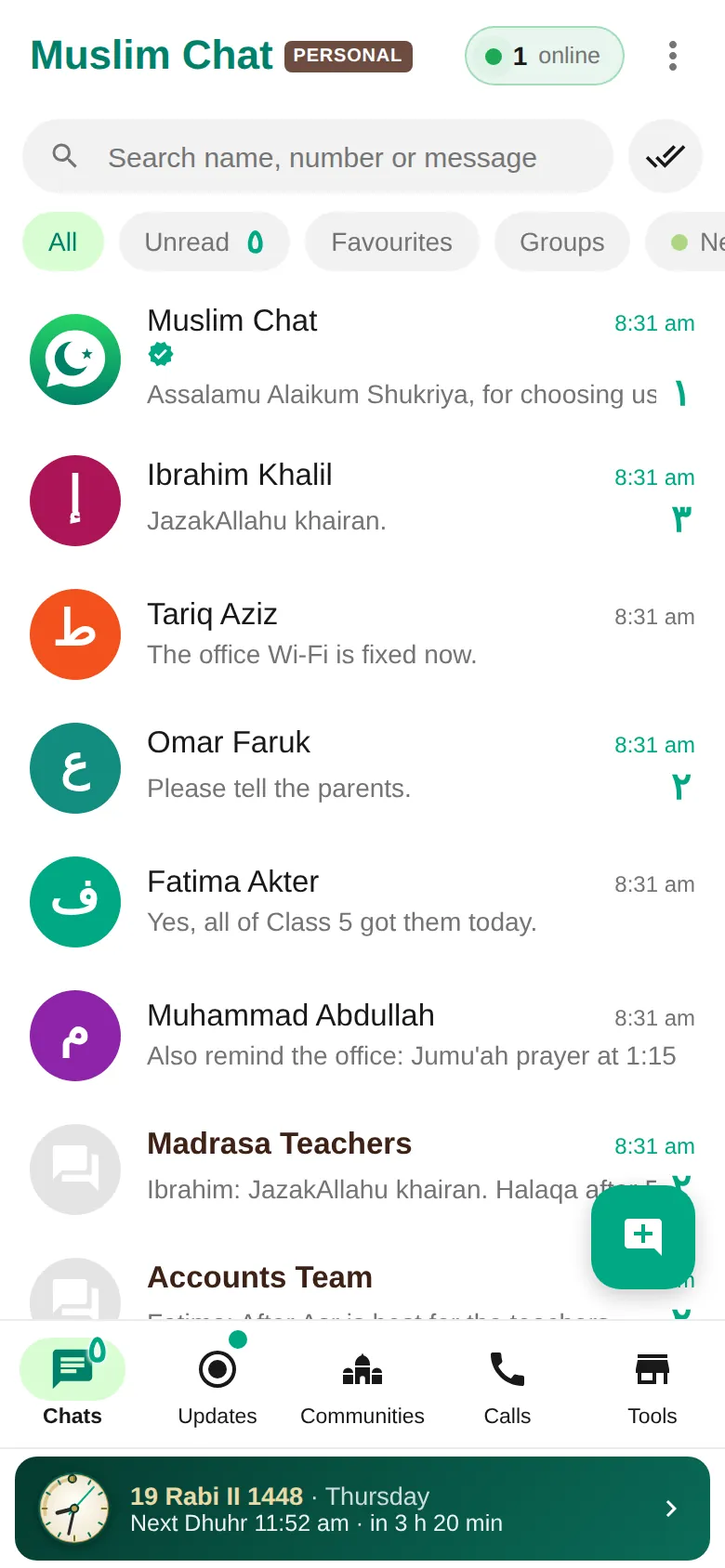
- An Arabic analog clock and a prayer bar under your chats with the next salat
- Worked out on your device — works without internet
This article is about prayer times in Muslim Chat. For the five daily prayers themselves, see Salah.
Every prayer, including the nafl
Muslim Chat shows the five daily prayers and the voluntary ones around them: Tahajjud (the last third of the night, until Sahri ends), Sahri ends, Fajr, Sunrise, Ishraq, Chasht (Duha), Dhuhr (Jumu'ah on Fridays), Asr, Maghrib · Iftar, Awwabin and Isha. Sahri and Iftar are shown large at the top — handy all year, and especially in Ramadan.
Times follow the Islamic Foundation Bangladesh timetable: the Karachi method, Fajr and Isha at 18°, and Hanafi Asr (switch to Shafi'i, Maliki or Hanbali Asr if you follow them). They are worked out on your device for your location, so they work without internet.
Alerts that ring on time
Choose which prayers alert you — the five fard prayers are on from the start — and whether at the time or 5, 10, 15 or 30 minutes before. On Android, alerts ring even when the app is closed and the phone is asleep, and the notification bar shows the next prayer and today's Hijri date. On a computer, alerts show while Muslim Chat runs in the tray; on the web and iPhone, they arrive as notifications.
The Hijri date, the right way
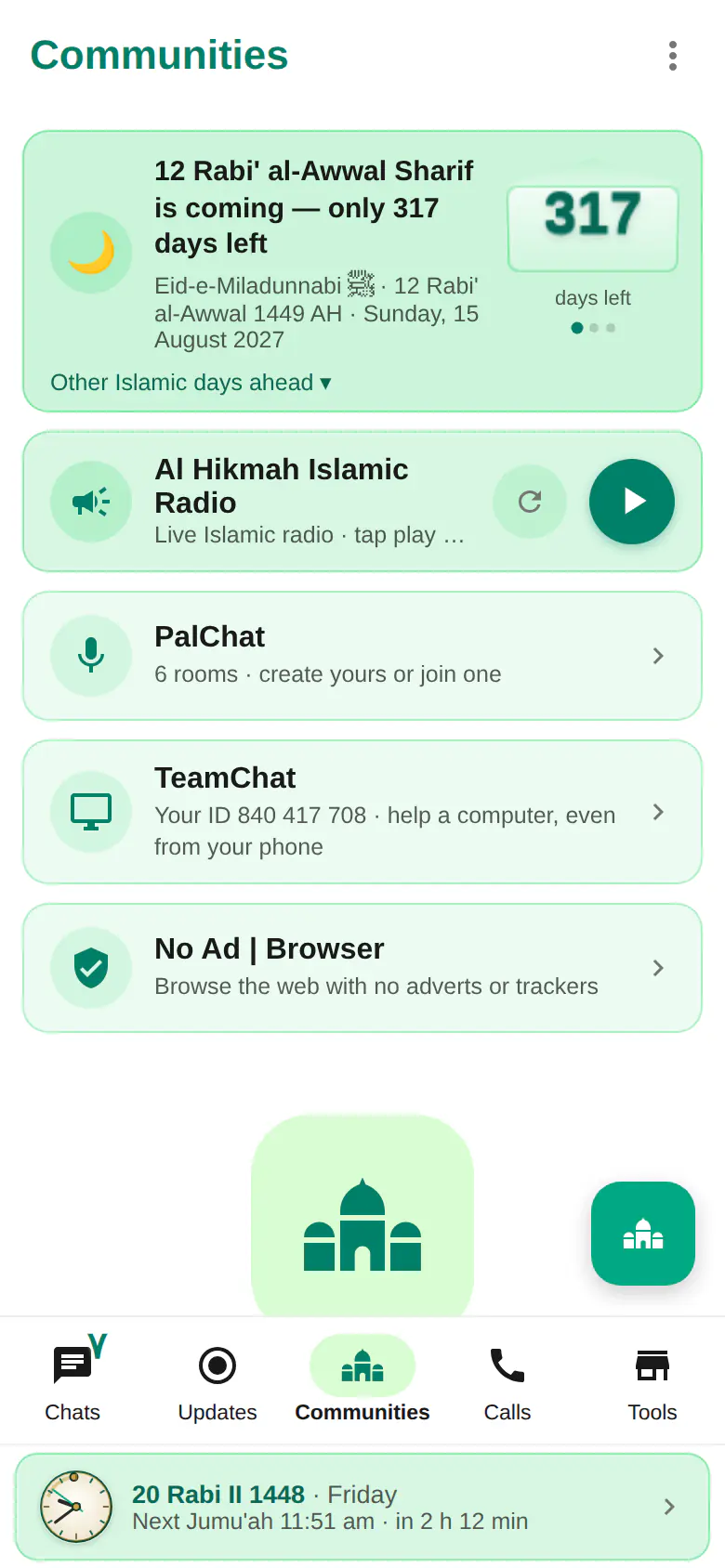
In Islam the new day begins at Maghrib, so Muslim Chat changes the Hijri date at Maghrib, not at midnight — the screen even tells you "At Maghrib the date becomes…". If your local moon sighting is a day different, set a Hijri adjustment. A countdown in Communities shows the coming Islamic days, such as 12 Rabi' al-Awwal.
Always in view
An Arabic analog clock marks the next salat, and a slim prayer bar under your chats shows today's Hijri date and the time left until the next prayer. No Ad | Browser reminds you to take a break when it is time to pray.
How to use Prayer times
Open prayer times
Tap the prayer bar under your chats, or Tools → Prayer times.
Choose your place
Pick your district or city, or use your location.
Set your alerts
Turn alerts on for the prayers you want and choose when they ring.
Prayer times in Muslim Chat
নামাজের সময় — বাংলায় সংক্ষেপে
বাংলাদেশের ৬৪ জেলার সঠিক নামাজের সময় — তাহাজ্জুদ, সাহরি, ইশরাক, চাশত, আউয়াবিন ও ইফতারসহ। ইসলামিক ফাউন্ডেশন বাংলাদেশের সময়সূচি অনুযায়ী। নামাজের আগে অ্যালার্ট, আরবি ঘড়ি, আর হিজরি তারিখ বদলায় মাগরিবে। ইন্টারনেট ছাড়াও কাজ করে।
Prayer times: frequently asked questions
Which method does Muslim Chat use for prayer times?
The Islamic Foundation Bangladesh timetable: the Karachi method with Fajr and Isha at 18° and Hanafi Asr. You can switch Asr to Shafi'i, Maliki or Hanbali.
Does it show Sahri and Iftar times?
Yes, at the top of the prayer times page, every day.
Do prayer alerts work when the app is closed?
On Android, yes — even when the phone is asleep. On computers while Muslim Chat runs in the tray, and on the web and iPhone as notifications.
Why does the Hijri date change in the evening?
Because the Islamic day begins at Maghrib. Muslim Chat changes the Hijri date at Maghrib.
Does it work outside Bangladesh?
Yes. Choose a city abroad or use your phone's location.
More in Muslim Chat
Get Muslim Chat
A hadiya for all Muslim Ummah — on Android, iPhone, Windows, Mac, Linux and the web, with Premium features for those who want more.