Call waiting, hold and swap
Muslim Chat handles two calls the way a mobile phone does. When someone calls while you are talking, you hear a soft beep and choose: hold and answer, end and answer, or decline.
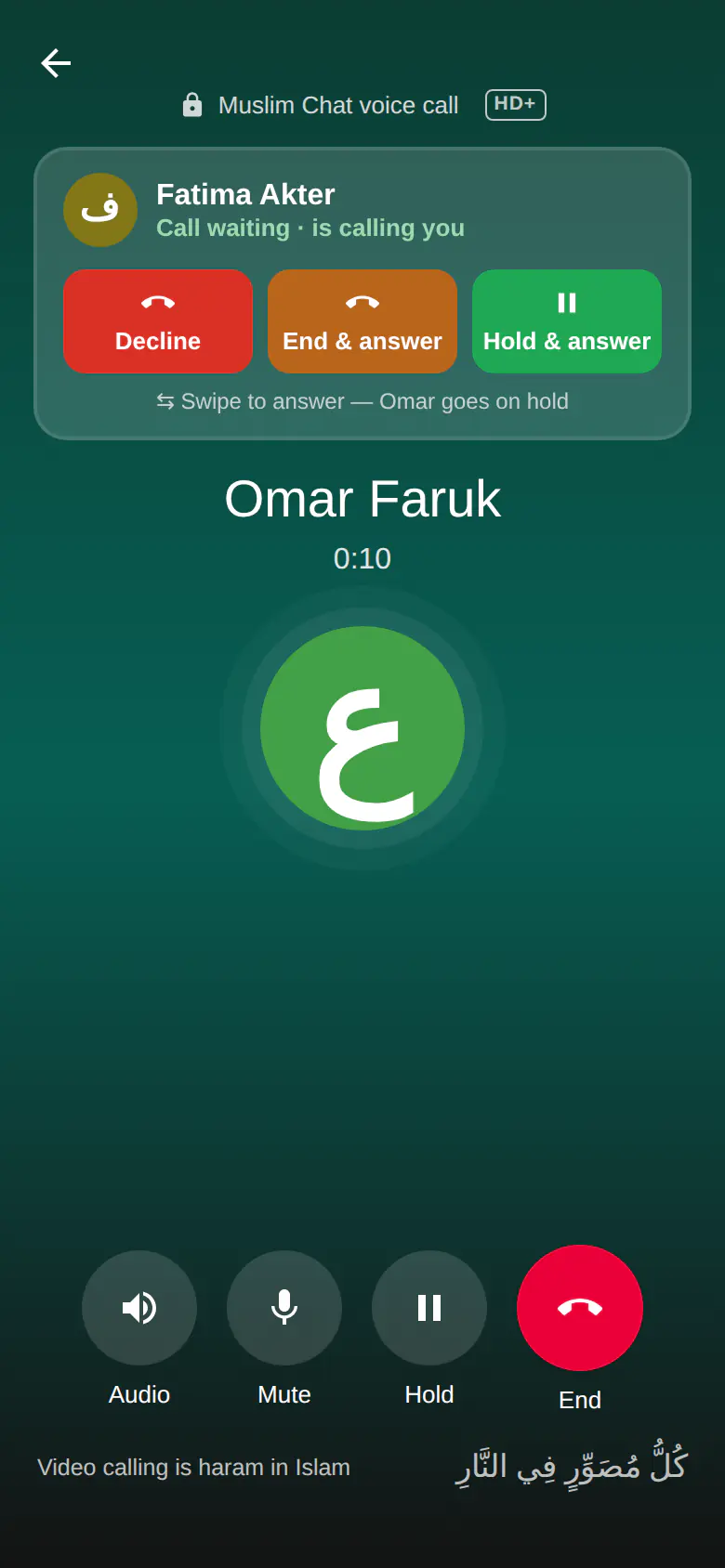
Call waiting at a glance
- Two one-to-one calls at a time, like a mobile phone
- Two short 425 Hz beeps — the tone mobile networks use — and a short vibration
- Decline, End & answer, or Hold & answer — or swipe to answer
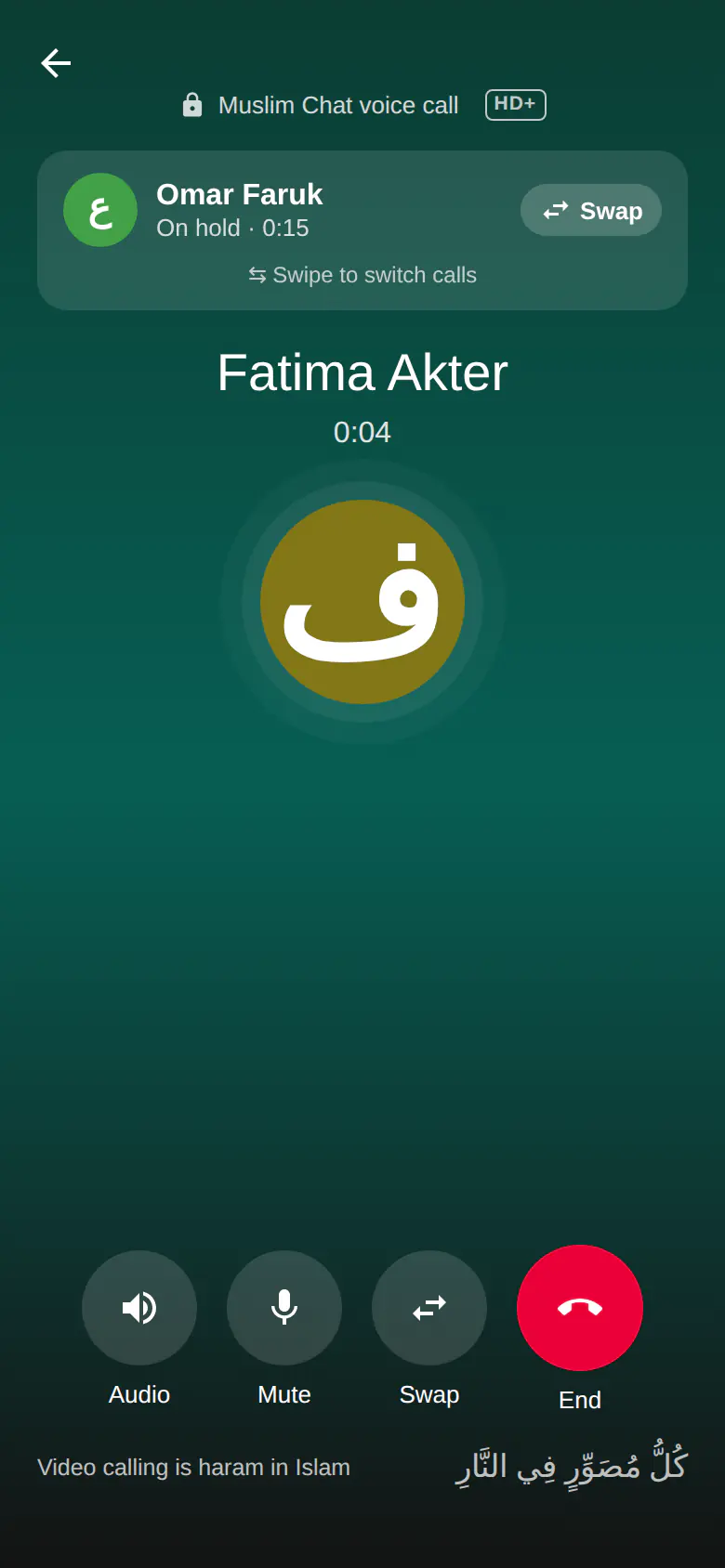
- On hold: a soft tone for the other person, and Swap to switch calls
- The caller is told you are on another call
- Busy reply: decline with a message; they can't call again for 3 minutes
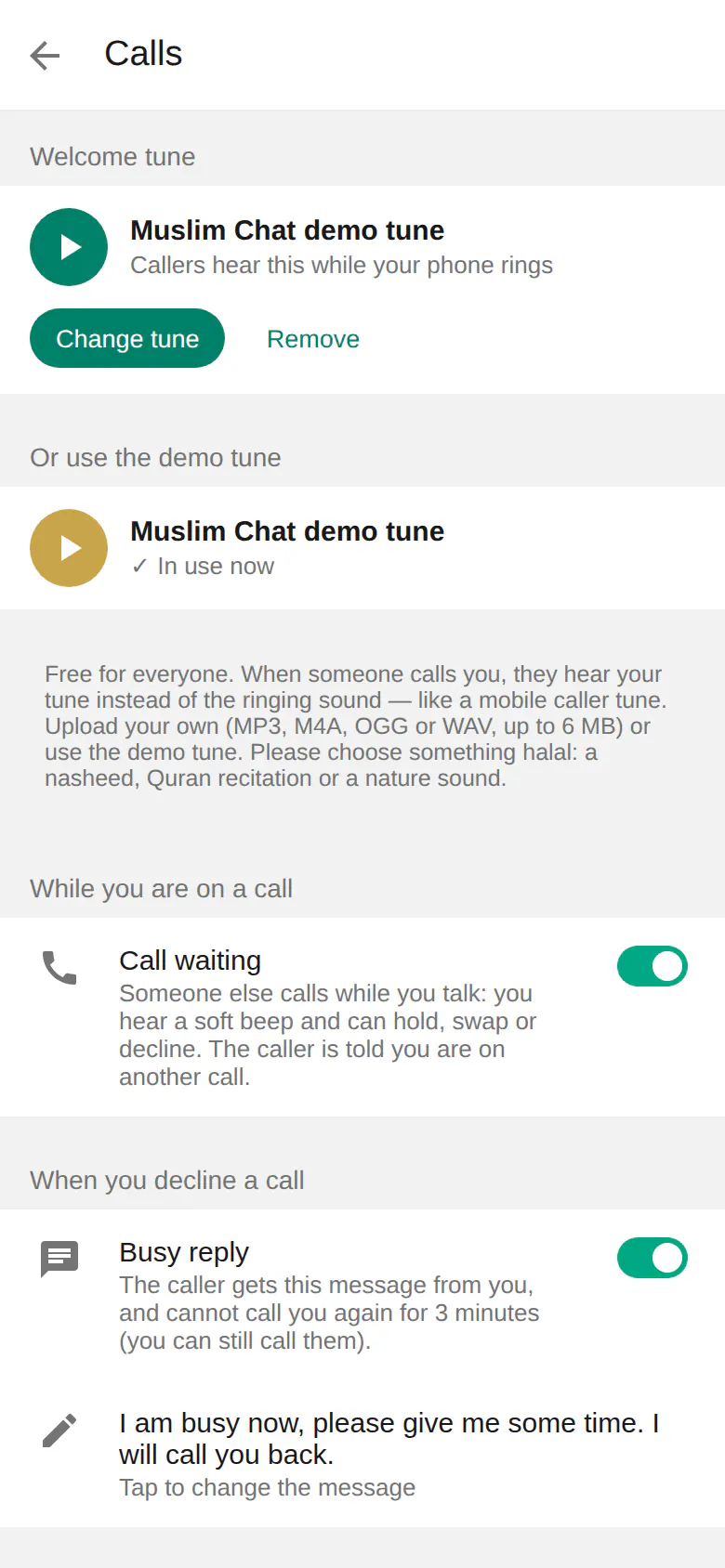
- Turn call waiting on or off in Settings → Calls
What happens when a second call comes in
While you are on a call, a second caller appears in a card at the top of the call screen with three buttons: Decline, End & answer and Hold & answer. You hear two short beeps every few seconds — the same 425 Hz tone mobile networks use — so you notice without being interrupted. You can also swipe the card to answer, which puts the first call on hold.
The caller sees that you are on another call. On Android, a call-waiting notification appears even when Muslim Chat is in the background.
Hold and swap
The call on hold moves to the card at the top with the time it has been waiting; the person on hold hears a soft tone so they know the line is still open. Tap Swap, tap the card, or swipe to switch between the two calls. Ending one call brings the other back.
Busy reply
When you decline a call, the caller can get a message from you — by default "I am busy now, please give me some time. I will call you back." — and cannot call you again for three minutes (you can still call them). Change the message, or turn it off, in Settings → Calls.
How to use Call waiting
Open Settings → Calls
Call waiting is on from the start.
Answer the second call
Tap Hold & answer, or swipe the card.
Swap
Tap Swap to go back to the first call.
Call waiting in Muslim Chat
কল ওয়েটিং — বাংলায় সংক্ষেপে
কথা বলার সময় আরেকজন কল দিলে মৃদু বিপ শুনবেন, তারপর হোল্ড করে ধরুন, আগের কল কেটে ধরুন বা কেটে দিন — ঠিক মোবাইল ফোনের মতো। "Swap" চেপে দুই কলের মধ্যে বদল করুন। কল কেটে দিলে কলার আপনার ব্যস্ত বার্তা পাবেন।
Call waiting: frequently asked questions
Does Muslim Chat have call waiting?
Yes. You can have two one-to-one calls: answer the second while the first waits on hold, then swap between them.
What does the caller hear?
They are told you are on another call. If you put them on hold, they hear a soft tone.
Can I turn call waiting off?
Yes, in Settings → Calls → Call waiting. Then a second caller gets the busy signal.
What is a busy reply?
A message the caller receives when you decline. They cannot call again for 3 minutes. You can change or turn off the message in Settings → Calls.
More in Muslim Chat
Get Muslim Chat
A hadiya for all Muslim Ummah — on Android, iPhone, Windows, Mac, Linux and the web, with Premium features for those who want more.